
Debugging async await hangs is hard!
When I first wrote the LeanSentry Hang diagnostics, most .NET web applications were developed using synchronous patterns.
Meaning, developers called long-blocking IO operations like SQL queries, remote web service calls and the like using the regular synchronous method signatures, which blocked the thread until they were completed.
This would of course frequently contribute to ASP.NET hangs, as threads became blocked on these synchronous operations.
(Skip the story, go straight to our async await hang diagnostics guide)
On the bright side, debugging these hangs was pretty easy because once you got the stack trace of the blocked operation, it would clearly point out where the blockage was taking place.
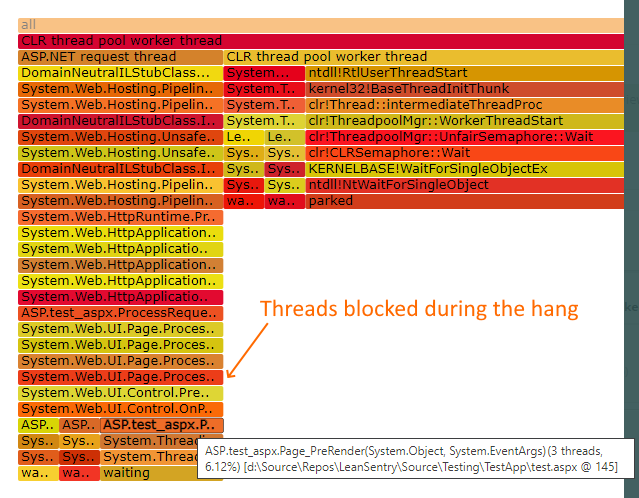
Back then, you COULD write asynchronous applications (using the APM pattern), but to be honest the only async applications we normally saw were our own.
Async await hangs
Fast forward to now.
Many modern ASP.NET applications using ASP.NET core, as well as the ASP.NET MVC and WebAPI frameworks, are now developed with the new async await patterns.
This is great, because it allows developers to execute long-blocking operations without tying up a thread, and therefore often avoid thread pool exhaustion when things take longer.
Unfortunately, this does not mean that hangs were gone.
(In fact, the async model introduced a whole slew of new issues including synchronization context lockups, async completion crashes (when an async task erroneously ties to complete to a request that’s already finished), and the like.)
Worse yet, if you did have an async hang, debugging it just became astronomically harder … because there are no longer any blocked thread stack traces to show you where the blockage takes place!
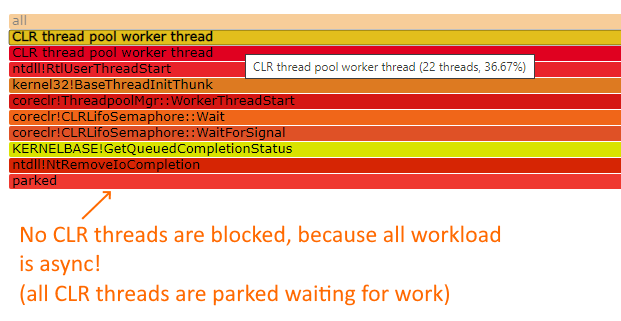
Instead, there are some long-running tasks somewhere in memory that are doing something, and they are generally nowhere to be seen.
LeanSentry async await diagnostics to the rescue
To help those with async hangs, we recently added async await diagnostic support to LeanSentry.
This allows you to identify the async tasks that are causing the hanging requests, similar to how you would determine the code blocking threads for a regular hang.
If you have async hangs, look for the blocking tasks in the hang diagnostic reports:
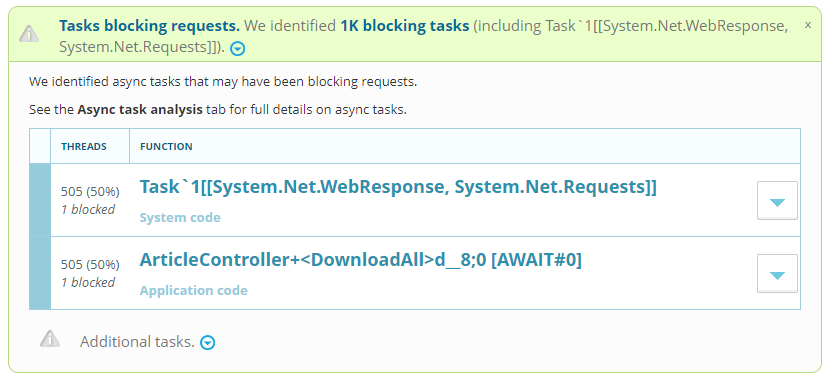
You can then follow the task completion “stack trace” similar to a regular stack trace for a blocked function:
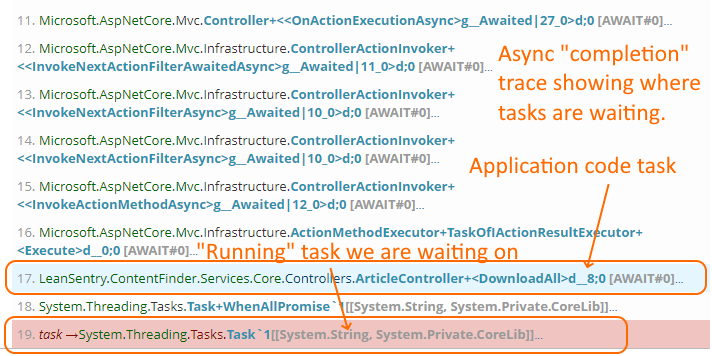
This async stack effectively shows where in your code the task was issued from, based on the await statement that will be resumed when the task completes.
You can then focus on speeding up/unblocking that specific operation to alleviate the hang.
(Of course, async hangs may also involve synchronously blocked code, e.g. in async task completions, in which case you’ll see regular blocked threads in the diagnostic report.)
To read more about fixing asynchronous hangs with LeanSentry Hang diagnostics, see our new Diagnose async hangs in ASP.NET Core, MVC and WebAPI guide.
Debugging async await hangs is hard!
good